
01 / THE PRODUCT
One job. One place to run it.
See how customer details, quotes, dispatch, crew updates and invoices stay with the work.
OFFICE / DISPATCH
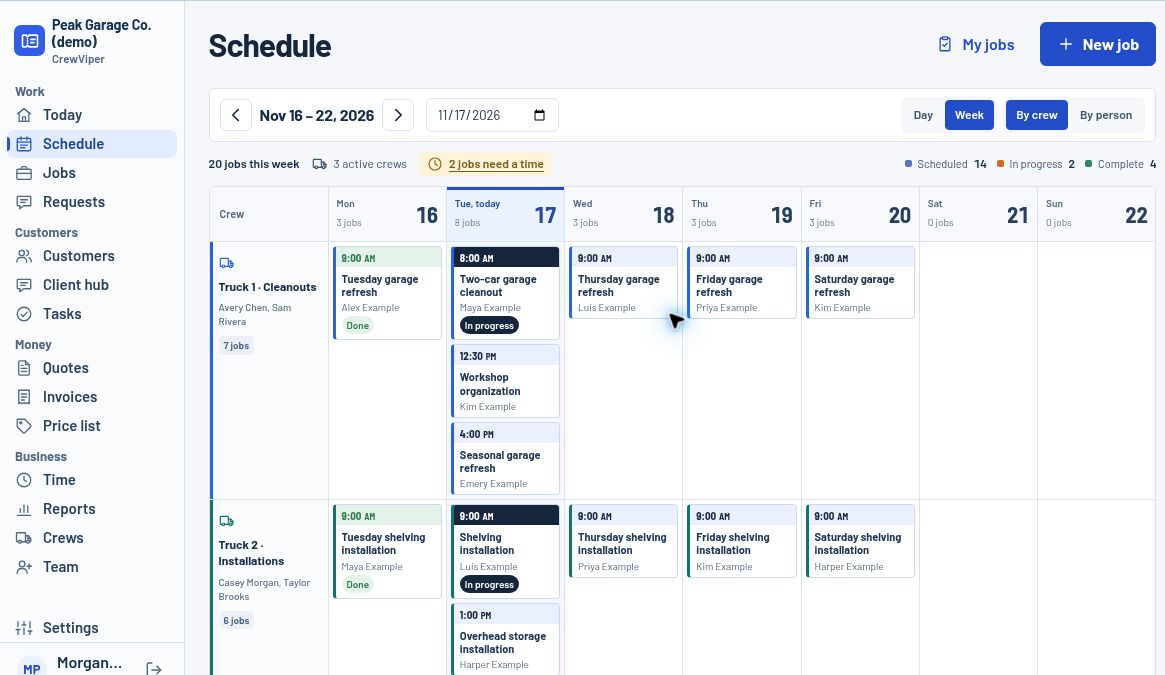
Give the week a plan.
See the schedule by crew, move a visit, and find jobs that still need a date or assignment. Open any ticket for the details without digging through a group chat.
What stays attached to the job
Customer and request
Contact details, the job address, access notes and the original request.
Quote and price book
Saved services, optional line items, revisions and a customer approval workflow.
Crew and job evidence
A phone view for assigned work, directions, job notes and photos. Crew members do not see pricing.
Closeout and invoice
Record completion, turn work into an invoice draft, track labor and expenses, and record payments. Connected providers need separate setup.
Put the workflow through its paces.
Move a sample visit, switch to crew and check the updated job from the office. No account needed.